Buyer Estimate
How to Create a Buyer Closing Cost Estimate
Quick Answer
Two inputs are required: the property address and the purchase price. The loan fields carry your agency’s defaults, so an estimate is two entries away.
Start with the property address
The tool opens on a single field, Search property address. Begin typing and pick the match.
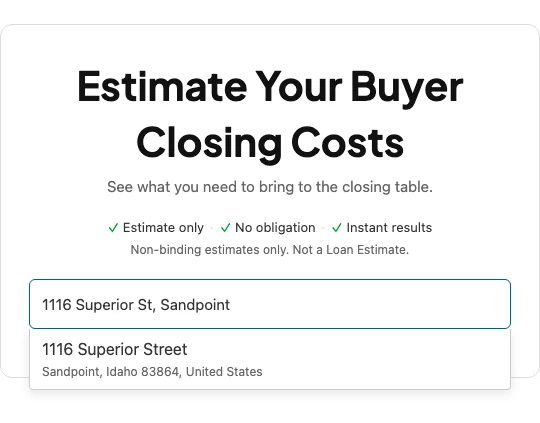
This sets the jurisdiction, which selects the rate and fee schedule behind every calculated line. The field is then replaced by a confirmation bar reading, for example, 1116 Superior Street, Sandpoint, ID 83864, Bonner County, Idaho, with a Change link. The form appears only after this resolves.
Enter the purchase price and loan terms
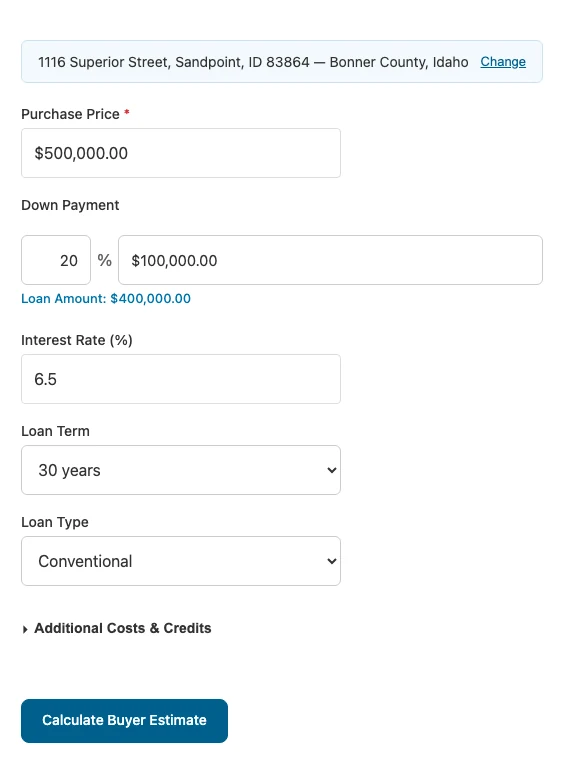
Purchase Price is the only required field.
Down Payment has a percentage box and a dollar box that stay in step, the same way the commission boxes do on a seller net sheet. Change the percentage and the dollar figure follows, type a dollar figure and the percentage recalculates. The resulting Loan Amount is shown directly beneath, so you can confirm it before calculating.
Interest Rate, Loan Term, and Loan Type open on your agency’s configured defaults. Interest rate and term drive the monthly payment card only. Loan type, Conventional, FHA, or VA, also adds the upfront mortgage insurance premium or funding fee where one applies.
Set the down payment to the full purchase price and the estimate becomes a cash purchase: the heading changes to Total Cash Required, and the monthly payment card and Lender Charges section drop out.
Optional: additional costs and credits
Additional Costs & Credits is collapsed and holds four groups.
- Property Costs. Annual property tax, annual insurance, and the closing date.
- Escrow. Months of tax and insurance collected at closing.
- Lender & Fees. Appraisal, inspection, survey, origination percentage, discount points, HOA transfer, home warranty.
- Credits. Earnest money, seller credits, lender credits.
Appraisal, inspection, and survey are prefilled from your agency’s configured defaults and appear on the estimate whether or not you open this section. Property tax and insurance are not, so the monthly payment card shows those two lines at zero until you enter annual figures.
Calculate
Select Calculate Buyer Estimate.
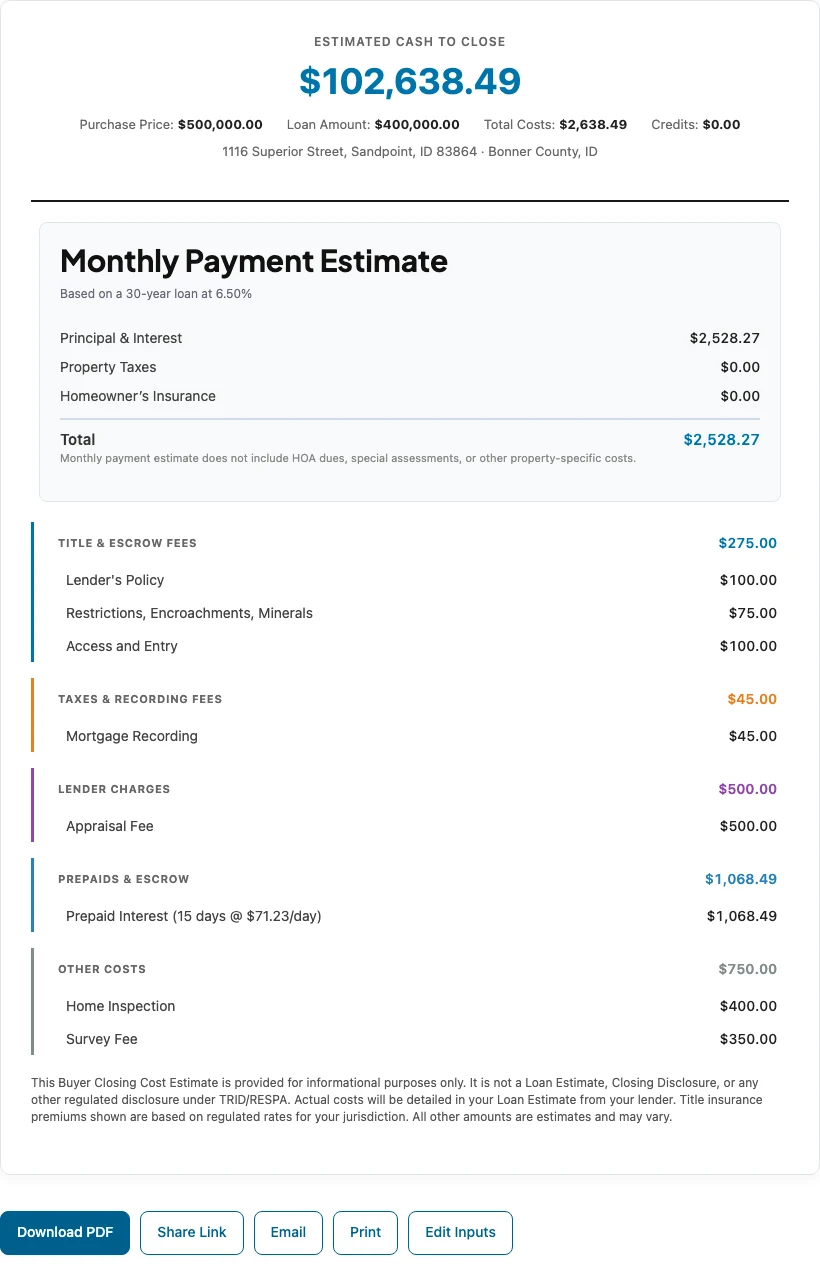
The result opens with Estimated Cash to Close and the figures behind it, then the Monthly Payment Estimate card, then the itemisation in six possible sections: Title & Escrow Fees, Taxes & Recording Fees, Lender Charges, Prepaids & Escrow, Other Costs, and Credits. A section only appears when it has something in it.
Title, recording, and premium lines come from the jurisdiction, and only the ones assigned to the buyer appear. The owner’s policy is absent here whenever your payer defaults put it on the seller.
Edit Inputs, below the estimate, returns you to the form with everything still filled in.