Title Quote
How to Get a Title Quote
Quick Answer
The quote tool estimates title premiums, endorsements, and recording fees, split by who pays. It runs as a wizard whose length depends on the transaction type, so the step counter grows once you answer.
Start with the property address
Type into Search property address and pick the match. The tool confirms what it resolved to, such as Sandpoint, ID, with a Change link beside it.
This sets the jurisdiction, which selects the rate and fee schedule. Nothing can be quoted until it resolves.
Step 1: Property Information
Two questions:
Transaction Type
- Purchase
- Refinance
- Construction / Vacant Land
Your transaction type determines which fields appear next.
Property Type
- Single Family / Residential
- Condominium
- Planned Unit Development (PUD)
- Commercial
- Vacant Land
Select Next.
Step 2: Purchase Details
A purchase opens with four fields.
Sales Price. Drives the owner’s policy premium.
Loan Amount. Drives the lender’s policy. Leave it blank and no lender’s policy is quoted.
Is there a prior Owner’s Policy? The reissue question. Eligibility and discount come from the rate schedule for that jurisdiction; the tool states the local rule beneath the field.
Who pays for Owner’s Policy? Seller, Buyer, or Split. This moves lines between columns on the result without changing the total. It starts from your agency’s configured default, which is not a rule, so set it to match the purchase agreement.
Entering a loan amount adds two more fields to the same step, neither of them prefilled: Loan Type, Fixed Rate or Adjustable Rate, which decides whether ARM coverage attaches; and Who pays for Lender’s Policy?, on the same Seller / Buyer / Split basis.
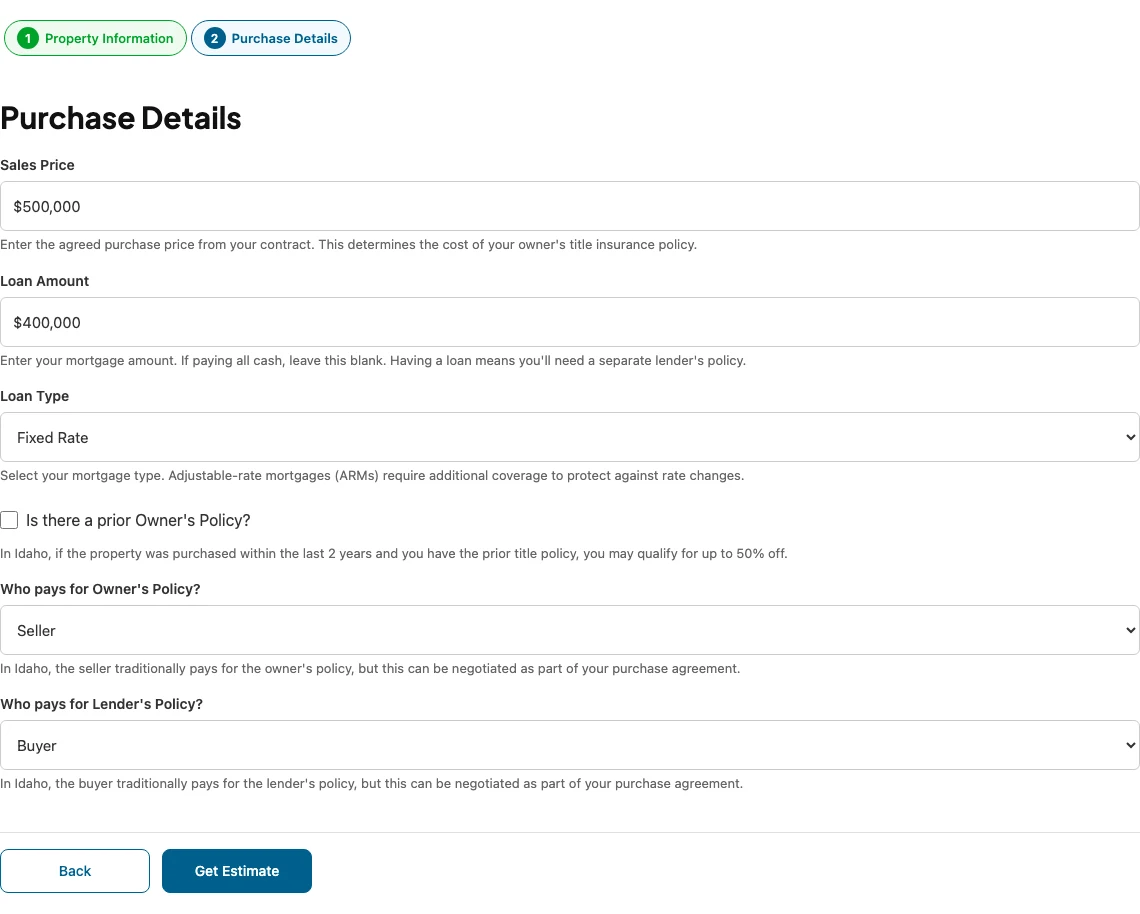
Select Get Estimate.
Reissue eligibility and endorsements are resolved from the rate schedule for the jurisdiction, so there is nothing to switch on by hand.
Reading the result
Payment Overview shows Buyer Pays, Seller Pays, and Total Due, with a savings line where a discount applied. Cost Breakdown by Role follows, with a per-side summary and the itemised table.
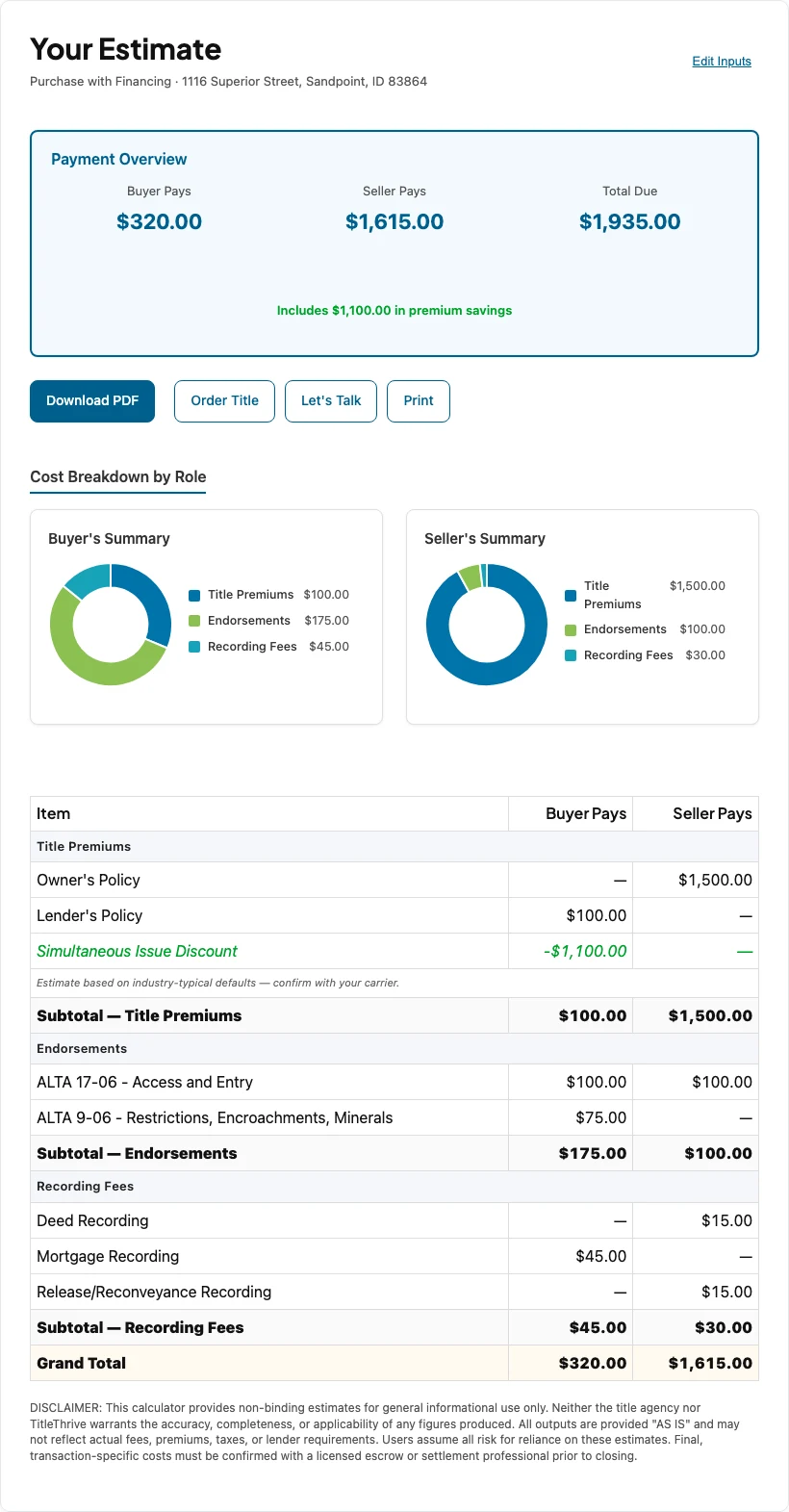
For what each line covers, see What’s included in a title quote.
Change something
Edit Inputs, beside the header, returns you to the wizard with your answers still in place.