Sharing & PDFs
How to Share a Result With a Link
Quick Answer
Share Link, in the row of buttons below a finished result, creates a web page for that estimate and gives you the address to copy.
Create the link
Calculate the result first, then select Share Link. A panel opens with the address already generated, a Copy button, and the date the link stops working.
Links look like yoursite.com/net/ followed by a long token. The token is the only thing protecting the page, so treat the address the way you would treat the document: anyone holding it can open the estimate, and no sign-in is asked for.
Every link lasts 30 days from the moment you create it. The expiry date is shown when you create it, and repeated at the foot of the page the recipient opens.
What your client sees
The link opens a branded page carrying your agency’s logo and colours, the estimate itself, and the disclaimer. There is no login, no account, and nothing to install.
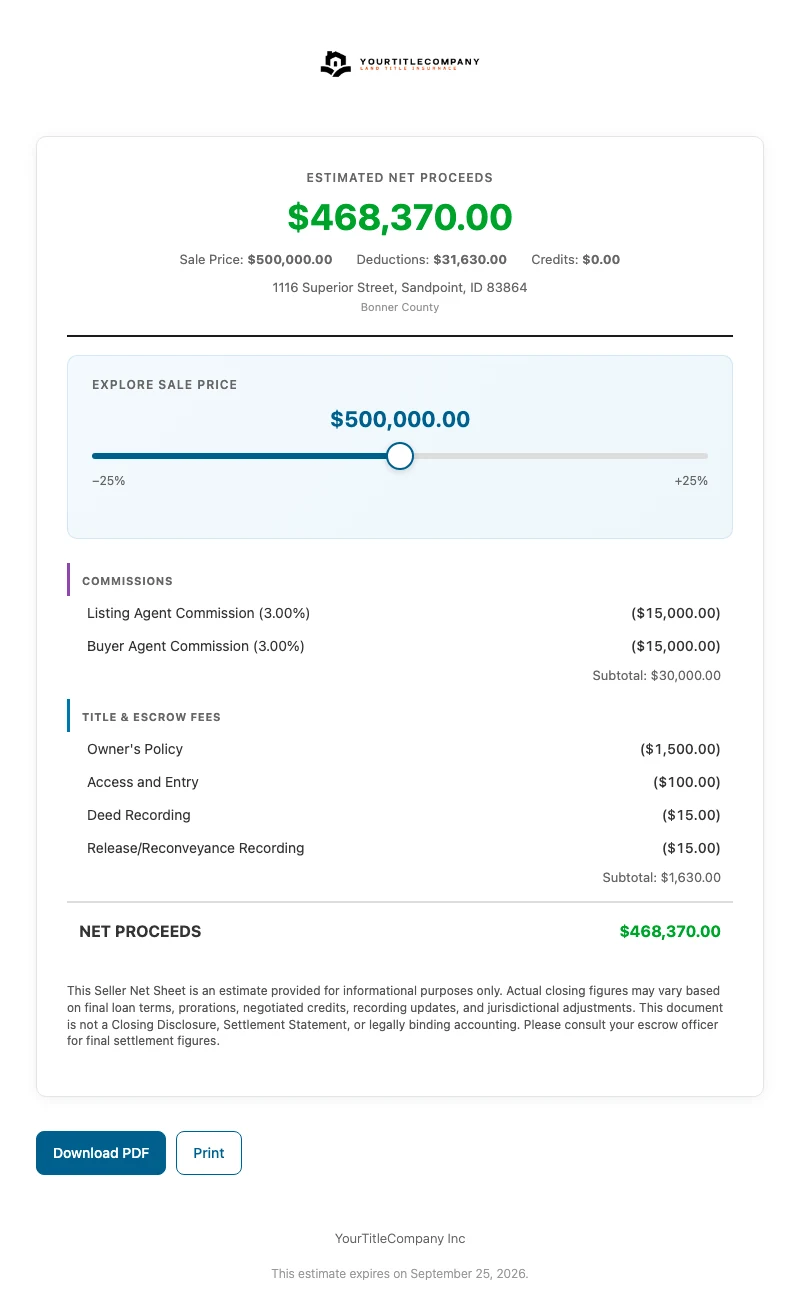
The recipient gets Download PDF and Print only. They cannot change inputs or recalculate, so a link cannot be turned into a different estimate by the person you sent it to.
When a link beats an attachment
It opens on a phone. A client checking email between showings gets a readable page rather than a PDF they have to pinch and scroll.
The branding stays current. Branding is resolved fresh each time the page is opened, so profile and logo changes reach links you already sent. The figures do not update. They are frozen at the moment you created the link. Change an input and you need a new link.
It can be turned off. A partner who created the link while signed in to the Partner Portal can revoke it from the portal’s Shares tab, and the page stops working immediately.
An expired, revoked, or mistyped link shows a short page reading The link you followed is invalid or has been removed, carrying your agency’s name. It does not reveal what used to be there.
Which tools offer Share Link
The Seller Net Sheet and the Buyer Closing Cost Estimate offer Share Link on their results wherever the tool is published. The Title Quote offers it only on a branded partner link or inside the Partner Portal; on the public quote page the result shows Download PDF, Order Title, Let’s Talk, and Print instead.